Retouch
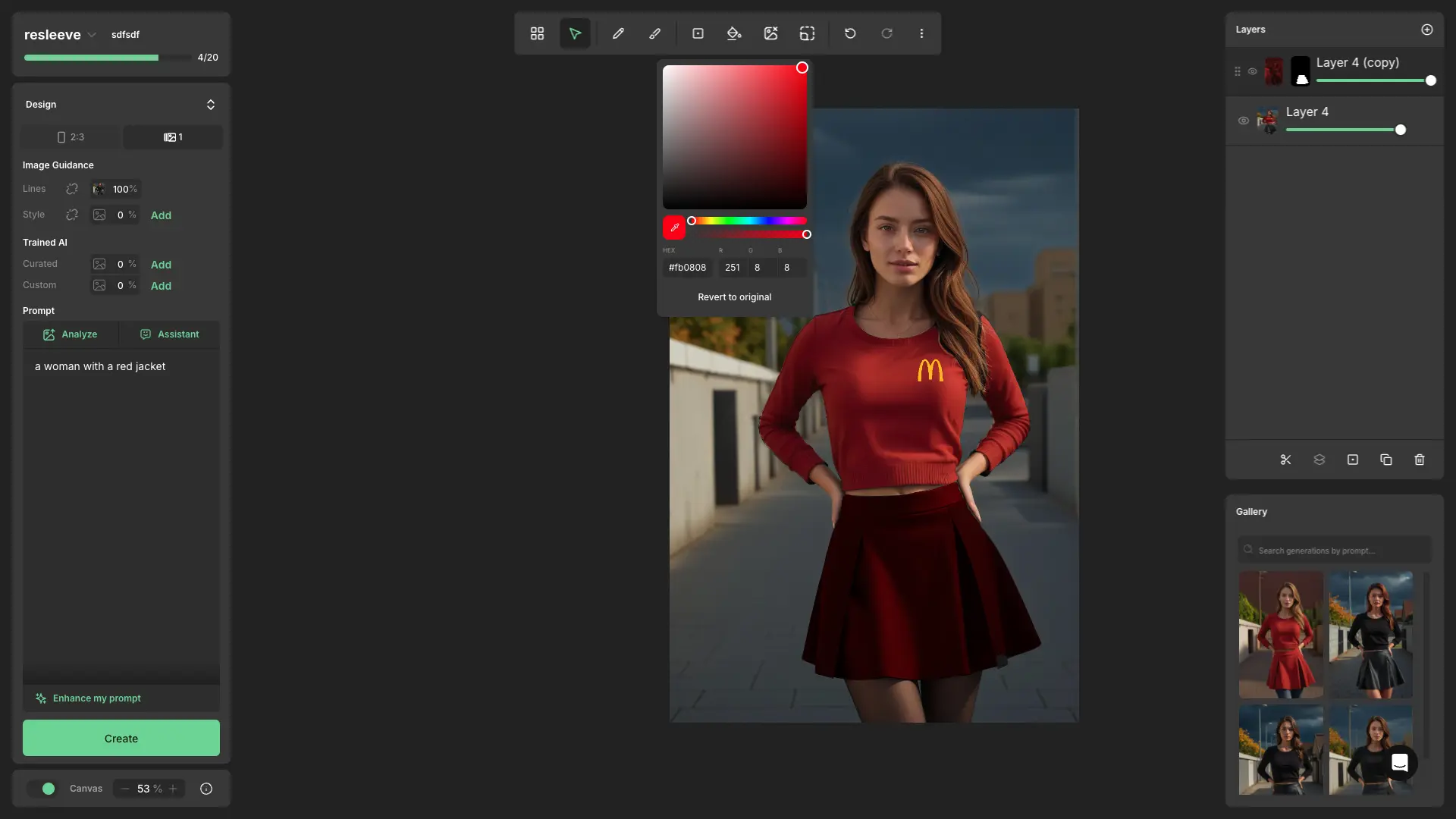
This is the core feature of Resleeve, an infinite canvas where you can generate images using AI. It also has integrated retouch tools, allowing you to edit images like inPhotoshop. You get layers, masks, drawing tools, image processing, and more.
As I'm writing this, the main features are complete, so the focus now is on design and UX. So please don't worry if you see something that looks a bit ugly, haha. This feature was the coolest and hardest to build. I had to learn a lot about graphics, images, canvas, WebGL, and other stuff, but working on this opened the door to the canvas world for me.
Next.js
Typescript
Tailwind
Sentry
PostHog
Zustand
Konva
Project Purpose and Goal
- The first version was just a simple retouch tool , similar to what OpenAI offers when you generate an image. But over time, we wanted to improve the user experience. The CEO had the idea to turn our application into an infinite canvas with integrated generations and retouch tools. To make it more useful for our target users, we had to add features like Photoshop layers, masks, drawing tools, and more. In summary, we wanted to give users the best AI experience and a great environment that wouldn't limit their creativity.
Key Features
- This project has a lot of AI-based features, but since this is my portfolio and the goal is to show my skills, I'll only talk about the features that I implemented on front-end.
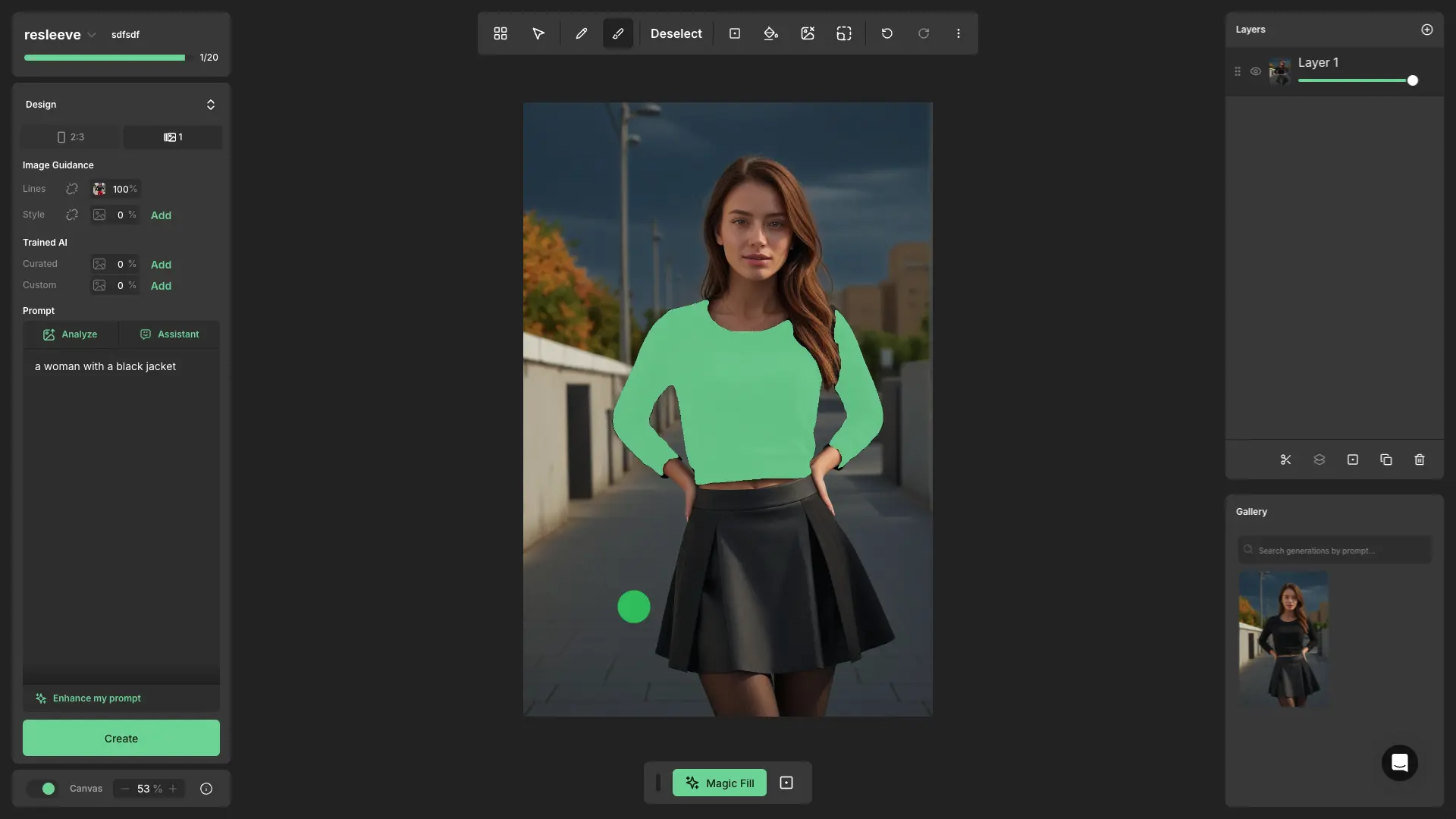
- Infinite canvas: you can generate images with a loading state and organize them into several frames.
- You can access a frame using the retouch view (double-click on the frame). There, you have a lot of tools, like:
- Draw tools: These let you directly edit the pixels of the image, and you can erase parts of it too.
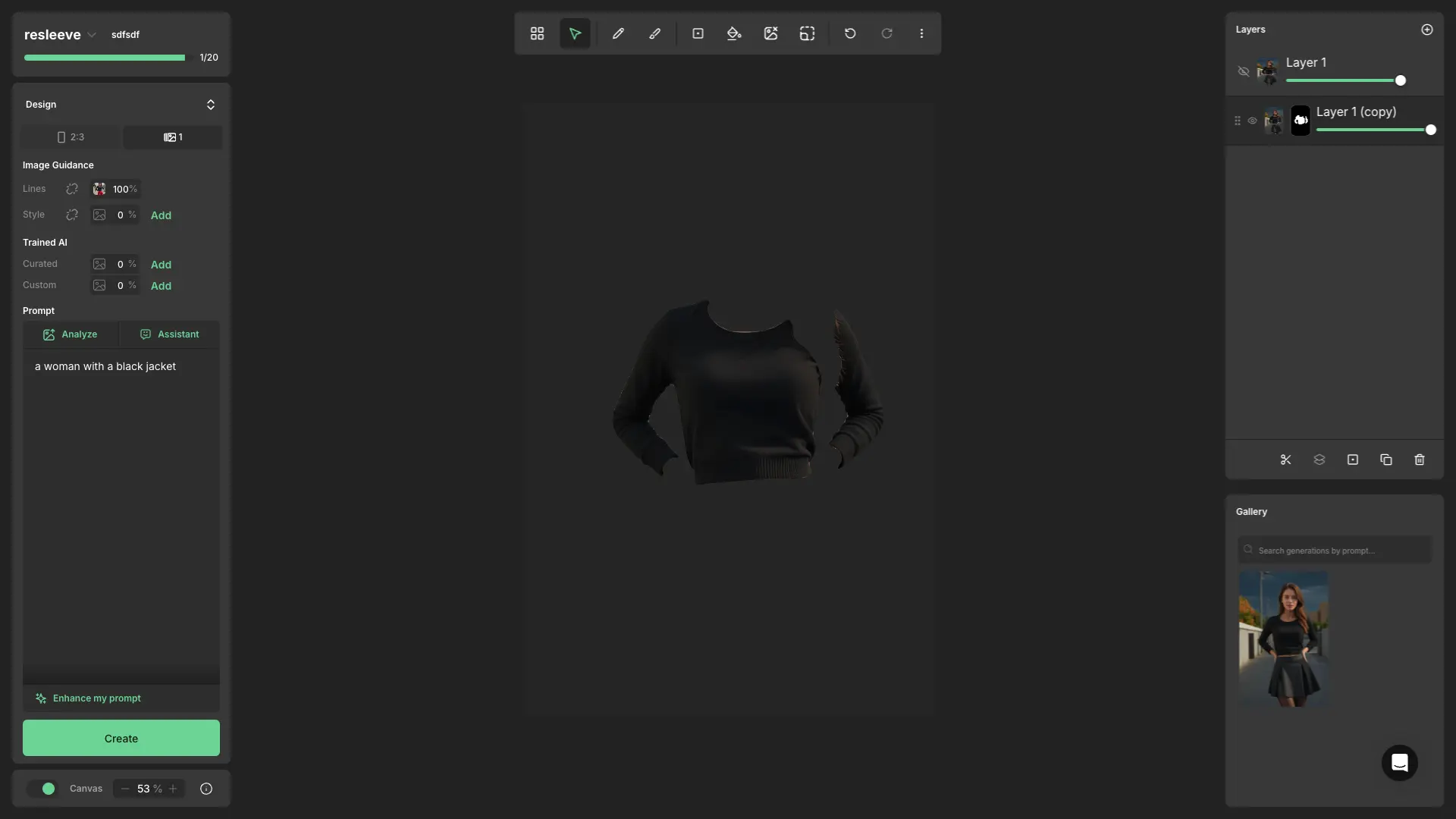
- Selection tools: These allow you to select a part of the image to create a mask or send it to AI.
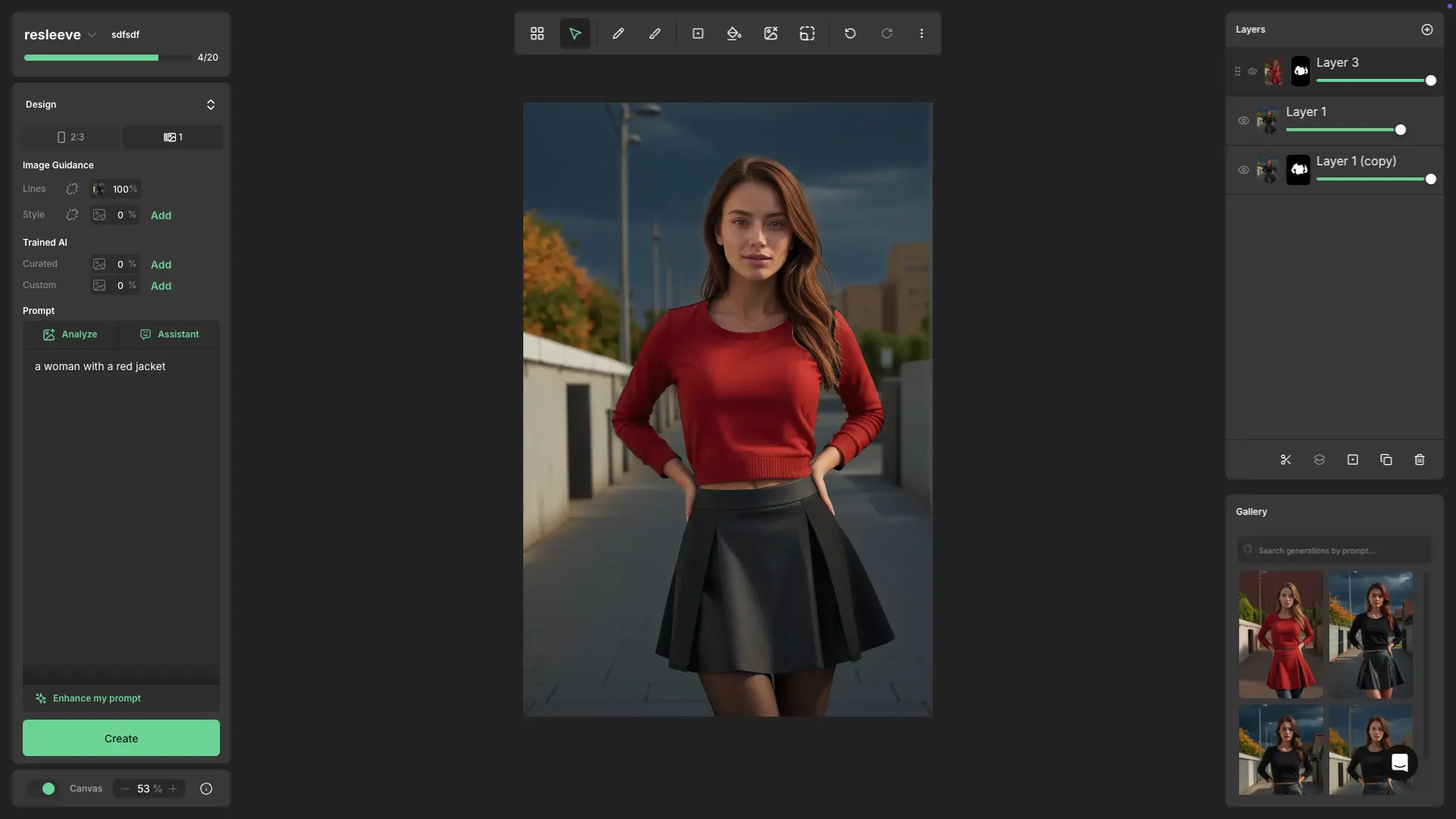
- Layers: Work with multiple images at the same time and perform operations like merge, duplicate, etc.
- Masks: Create masks for specific parts of your image to isolate areas you want the AI to modify.
- Undo/Redo system: This allows you to undo and redo your actions.
- Colors: Adjust and change the colors of the image.
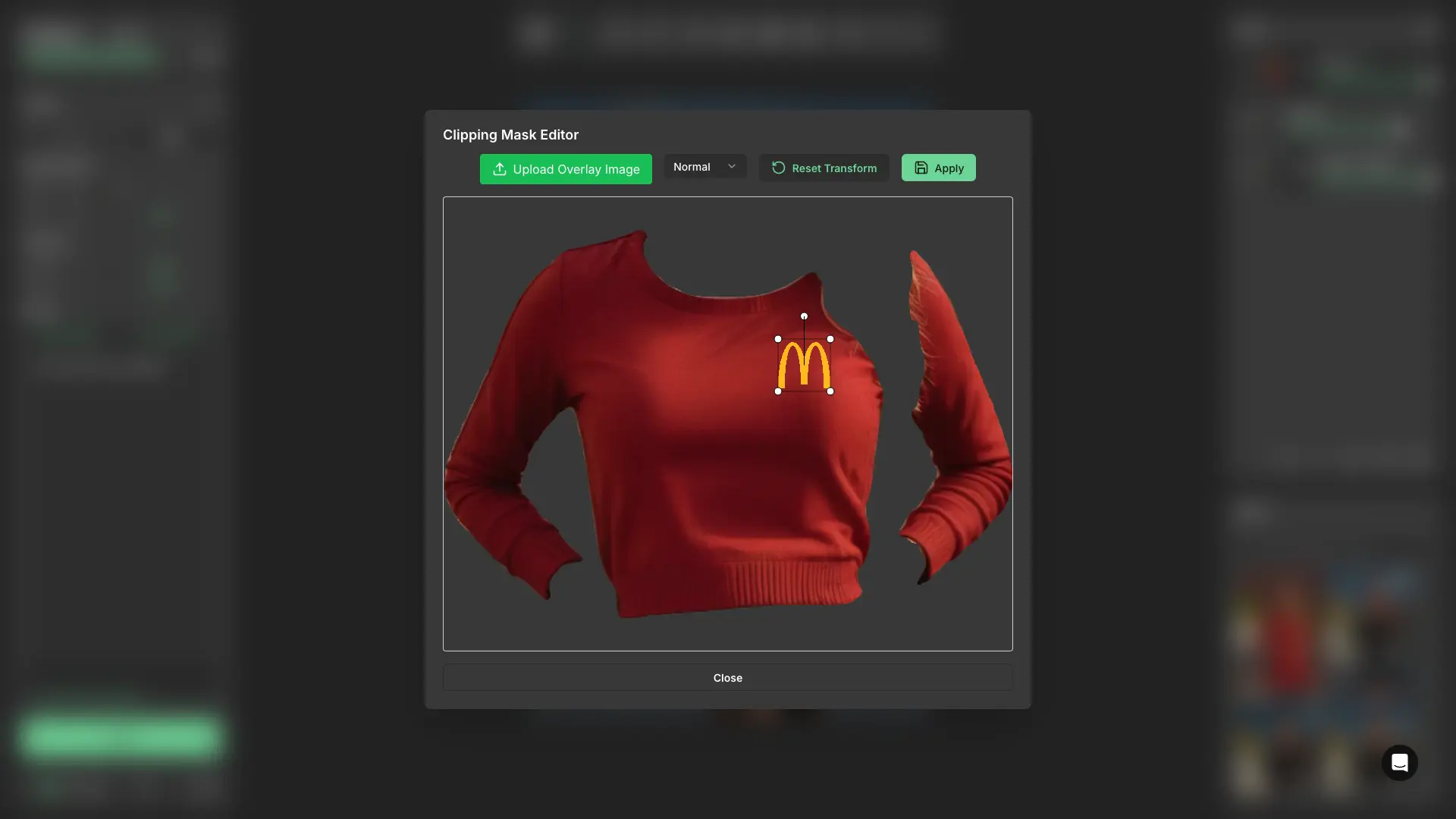
- Clipping mask: A tool to easily place your logo on images.
- And there's more! Of course, there's a lot happening under the hood that isn't directly visible as features but is crucial for making everything work. These are the main features I believe are the most important to highlight.

Problems and Thought Process
- I ran into all the issues you can imagine, haha. So I'll just briefly go over some of them.
- Starting out, when I got this task, I was really lost and had no idea how to build it. I think the incremental implementation approach really helped me figure things out. There isn't much content online about this since it's a niche area. I started by trying to understand what a canvas is, the concepts under the hood, and exploring libraries that could make development easier. I ended up starting with Konva.js, taking baby steps and building one feature at a time.
- Structure wise, one of the things I had in mind when planning this project was how to create a maintainable structure. To figure this out, I looked at open-source projects like Excalidraw to see how they organize their structure, and I built something similar.
- Performance became a challenge as the project grew bigger and more complex with lots of states. We started having performance issues, so I decided to use Zustand for state management and ensured that only the components needing updates were re-rendered. I also used `useMemo` and `useCallback` to optimize performance. To be honest, it's not perfect yet because we had other priorities, but now that the core features are done, improving performance will be our next focus.
- Honestly, I could write more than four pages about the issues I faced, but I think that might be boring. If you have any questions, feel free to contact me I'd be happy to talk about it! 🙂
Lessons Learned
- This project really taught me a lot of things, not just about technical programming, but about priority. So I'll split this section into two parts.
- First, this project required me to have good knowledge of graphics, which I didn't have before. So I needed to study a lot, and I spent most of my day learning the basics I needed. I already had this discipline from university, but not as strong. Now I have a good base about graphics, and I keep learning and trying to use canvas more, even casually like with the shaders on my hero or for 3d things.
- Second, to build this project I had to learn a lot, but because Resleeve is a startup, I needed to prioritize things. I was working alone and had to ship stuff while learning at the same time. What I did was understand what features really needed to be built with solid engineering and what could just have a duct tape fix that wouldn't cause problems later. I had to think about the company's timing, resources, and focus my studies and priorities in the same direction.